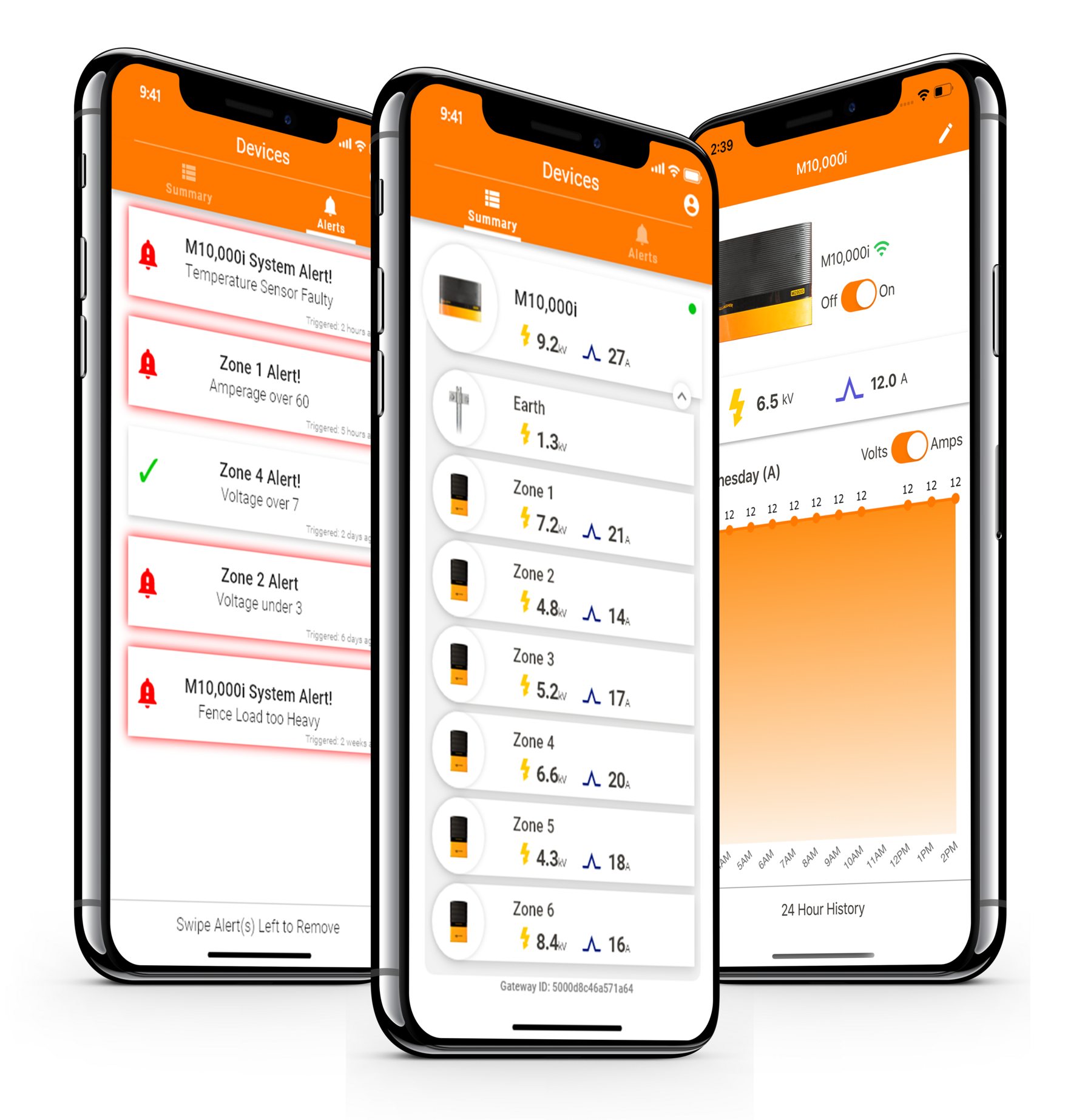
Alerting you to issues before they become a crisis with remote fence monitoring and real-time fault notifications. Experience peace of mind with the i Series App Gateway connected to the Ag Devices mobile app.
Manage, monitor, and control your fence performance using your phone. View information about your fence performance, be alerted of fence faults, adjust your output voltage, and turn your fence on and off – all in the palm of your hand.
The i Series App Gateway communicates with your mobile app using Bluetooth® when you are near the energizer. When in range, the app is updated with real-time fence performance information, and displays any alerts or faults you may need to act on.
To monitor and control your i Series Energizer from anywhere, at any time, connect to a WiFi network for 24/7 remote access – without needing to be on the farm or near your energizer.
AG Devices App
Check your fence performance as you pass by your energizer
Bluetooth® connectivity updates your Ag Devices app with real time performance information as you drive or walk past your energizer
Peace of mind with remote monitoring of fence performance
Know the status of your fence, 24/7. manage, monitor, and control your fence without needing to be on farm or near your energizer*
*WiFi connectivity required. If you do not have a WiFi connection at your Energizer, install a hotspot to provide connectivity
Monitor different zones and particular areas of your fence system
Add up to six i Series Fence Monitors on your fence line, dividing your farm into monitored zones to help pinpoint the location of faults*
*i Series Fence Monitors sold separately
Be alerted of fence faults before they become a crisis
Set voltage notifications and alarms for each Fence Monitor within the app to be notified if your fence performance drops below defined levels – allowing you to locate, address and fix the issue quickly
Remote control of your energizer
Turn your energizer off and on with the swipe of a finger
View 24-hour fence performance history
Compare current fence performance with 24 hours of historical data to mo trends or changes over time